Quick answer: WD Purple and Seagate SkyHawk are both made for CCTV and both can record day and night without a break. They are very close in features. Choose WD Purple if you want a simple, trusted drive that works with almost every recorder. Choose Seagate SkyHawk if you like the idea of data recovery help during the warranty. For big or AI-based systems, choose WD Purple Pro or Seagate SkyHawk AI. Whichever you pick, buy a sealed, genuine drive with a proper bill.
Index
- Why the Hard Drive Matters in a CCTV System
- What Makes a Surveillance Hard Drive Different
- WD Purple at a Glance
- Seagate SkyHawk at a Glance
- WD Purple vs Seagate SkyHawk: Comparison Table
- How They Perform in Daily Use
- Reliability, Warranty and Data Recovery
- WD Purple Pro and SkyHawk AI: When Do You Need Them?
- Which Drive Fits Your Place?
- How to Find the Right Storage Size
- Common Mistakes to Avoid
- Buying CCTV Hard Drives in Nehru Place, Delhi
- FAQs
- Conclusion
Why the Hard Drive Matters in a CCTV System
When people buy a CCTV system, they think about cameras first. That is natural. Cameras are what you see on the wall. But the part that keeps your video safe is the hard drive.
Every video your cameras record goes to the DVR or NVR, and then onto the hard drive. If you ever need to check what happened in your shop last Tuesday, the drive is where that video lives. If the drive is weak or has failed, your cameras were recording for nothing.
That is why many experts say: do not save money on the hard drive. A good camera with a bad drive is a poor system. A good drive keeps your proof safe when you need it most.
In this guide, we compare the two most popular surveillance drives in India, WD Purple and Seagate SkyHawk. We use simple words so anyone can follow, even if you have never bought a hard drive before.
What Makes a Surveillance Hard Drive Different
A hard drive in your computer is not the same as a hard drive in your CCTV recorder. They do different jobs.
A computer drive works in small bursts. You open a file, save a file, and then the drive gets a rest. A CCTV drive never gets a rest. It saves video every second of every day, and it often saves video from many cameras at once.
Because of this, surveillance drives are built in a special way:
- They handle non-stop writing. They are made to save video all day and all night.
- They protect your video from gaps. Special features help stop lost frames, so your footage stays smooth.
- They work with many cameras. They can take video from many cameras at the same time.
- They handle heat better. DVR boxes can get warm, and these drives are made for that.
- They come with proper warranty. The company supports them for CCTV use.
If you put a normal desktop drive in a DVR, it may work for a few weeks or months. But it can drop video, heat up and fail early. A surveillance drive is the safer choice.
WD Purple at a Glance
WD Purple is made by Western Digital. It is easy to spot because of its purple label. It has been a favourite of CCTV installers for many years.
Here are its main features:
- Built for 24×7 recording. It is made for non-stop video saving.
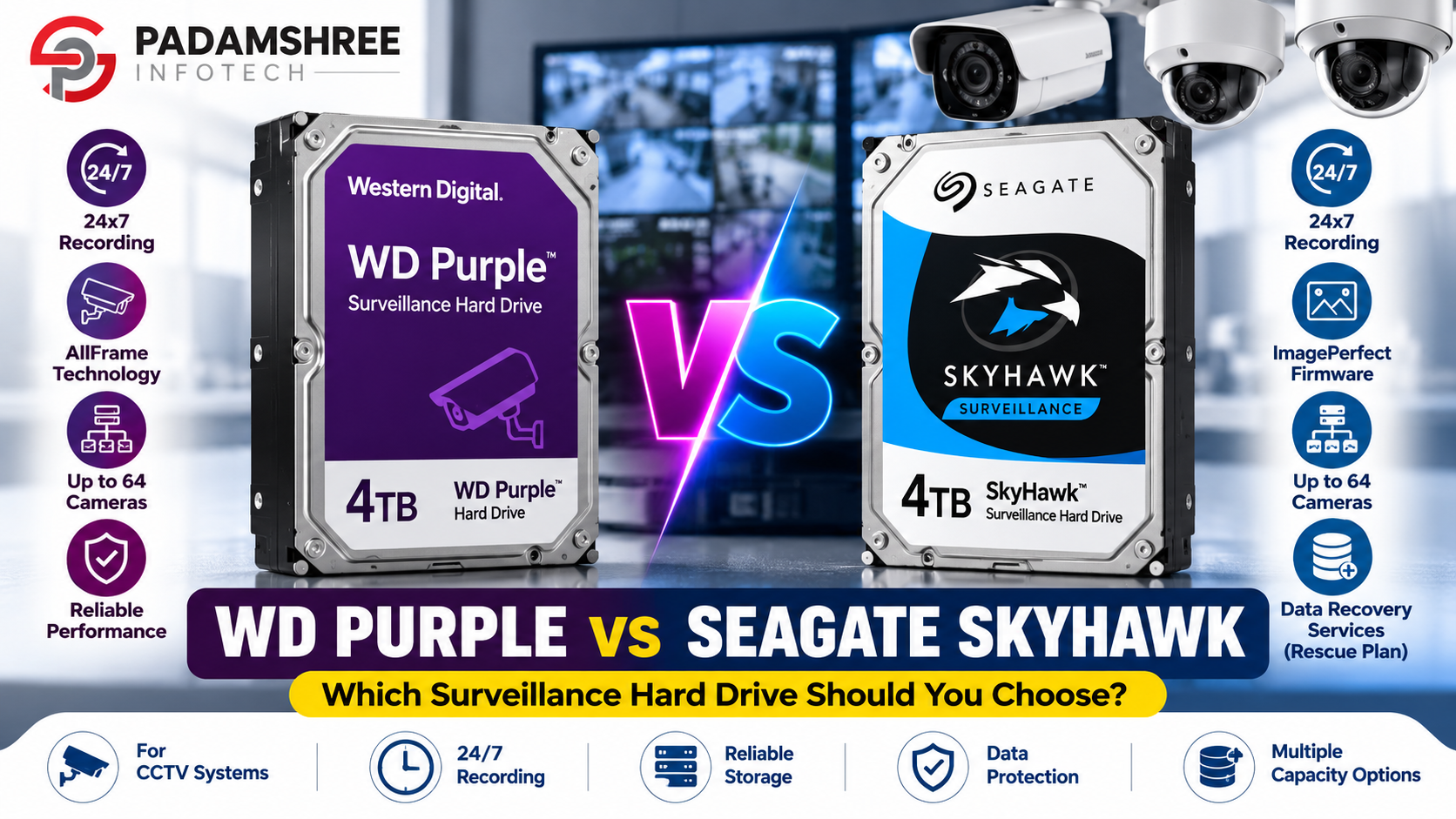
- AllFrame technology. This helps reduce lost frames and keeps video smooth.
- Up to 64 HD cameras. The standard version supports a large number of cameras, based on your recorder.
- Yearly workload of 180TB. This number shows how much data the drive can safely handle in one year.
- Many sizes. You can choose from small drives for homes to large drives for big systems.
- Low power use. It runs cool and quiet in most setups.
The biggest strength of WD Purple is that it is simple and well known. Almost every DVR and NVR brand works well with it. When an installer is not sure what to pick, WD Purple is often the first name they think of.
Seagate SkyHawk at a Glance
Seagate SkyHawk is the surveillance drive from Seagate. It is a strong rival to WD Purple, and many people use it too.
Here are its main features:
- Built for 24×7 recording. Like WD Purple, it is made for non-stop use.
- ImagePerfect firmware. This feature is made to help avoid dropped frames.
- Up to 64 HD cameras. This is similar to WD Purple, again based on your recorder.
- Yearly workload of 180TB. This is at the same level as the standard WD Purple.
- Rescue Data Recovery Services. Many SkyHawk drives come with a data recovery plan during the warranty period.
- Many sizes. There are options for small and large systems.
The biggest strength of SkyHawk is the recovery plan. If a drive stops working and holds footage that matters to you, this plan gives you a way to try to get that footage back. For shops and offices, this extra safety can be valuable.
WD Purple vs Seagate SkyHawk: Comparison Table
Here is a simple side-by-side view of the standard drives. Always read the label or box of the exact model you buy, because details can change by model and size.
| Feature | WD Purple | Seagate SkyHawk |
|---|---|---|
| Made for | 24×7 CCTV recording | 24×7 CCTV recording |
| Frame protection | AllFrame | ImagePerfect |
| Cameras supported | Up to 64 HD cameras | Up to 64 HD cameras |
| Yearly workload | 180TB | 180TB |
| Data recovery plan | Not part of the standard plan | Included on many models |
| Stronger version | WD Purple Pro | SkyHawk AI |
| Usual warranty | 3 years | 3 years |
| Good for | Homes, shops, small offices | Homes, shops, offices that want recovery support |
You can see that the two drives are almost twins. The real difference is small: SkyHawk often has the recovery plan, and WD Purple has a very wide base of users and installers who know it well.
How They Perform in Daily Use
Speed. For CCTV, you do not need a super-fast drive. Your cameras send a steady flow of video, not a huge burst. Both drives handle this flow well. A drive that looks faster on paper will not make your CCTV better. What matters is a steady drive that does not miss frames.
Noise. Both drives make the usual hard drive hum. If your recorder is in a quiet room, you may hear a soft sound. Bigger drives can sound a little louder. This is normal and not a sign of trouble.
Heat. Heat is the biggest enemy of any hard drive. Both drives are made to work inside a recorder, but they still need fresh air. Do not shut your DVR inside a tight box. In hot Delhi summers, keep it in an open, airy place, or add a small fan.
The truth is that in daily use, most people cannot tell these two drives apart. Your cameras will record, your recorder will save, and you will not notice which brand is inside. This is why price, availability and warranty often decide the winner.
Reliability, Warranty and Data Recovery
Reliability means how long a drive keeps working without trouble. Both Western Digital and Seagate are big, trusted names. Both make strong surveillance drives. But no hard drive is perfect, and any drive can fail one day.
Warranty. The standard WD Purple and SkyHawk drives usually come with a 3-year warranty. Pro and AI versions often come with stronger support. Always keep your bill and the box. Without them, a warranty claim can be very hard.
Data recovery. This is the area where SkyHawk often has an edge. If your drive fails, the recovery plan can help you try to get back your footage. This does not guarantee that every file will return, but it is better than having no plan at all.
A simple rule for safety. Do not trust one drive for very important footage. If something serious happens, such as a theft or a fight, copy that video clip to a pen drive or computer right away. This takes only a few minutes and can save you a lot of trouble later.
WD Purple Pro and SkyHawk AI: When Do You Need Them?
Some CCTV systems do much more than record video. They also use smart features, like face detection, number plate reading, people counting and line crossing alerts. These features create extra work for the hard drive.
For these systems, the standard drives may not be enough. The better choices are:
- WD Purple Pro, which is made for heavy workloads and AI recorders.
- Seagate SkyHawk AI, which is made for the same kind of use.
These drives cost more, but they handle a much higher yearly workload. They are a good fit for factories, warehouses, schools, hospitals, malls and large offices. If you have more than 16 cameras, or if your cameras use AI, it is wise to talk to your dealer before choosing a standard drive.
For a normal home or a small shop with simple cameras, you do not need the Pro or AI version. Spending extra money there is not needed.
Which Drive Fits Your Place?
For a Home (2 to 8 cameras)
Either drive is a good pick. A 2TB or 4TB drive is usually enough. Choose WD Purple if you want a simple and trusted option. Choose SkyHawk if you like the recovery plan or if it has a better price on the day you buy.
For a Shop (4 to 16 cameras)
Shops need clear proof if there is a theft or a dispute. Pick a bigger size, like 4TB, 6TB or 8TB, so you can keep recordings for at least 30 days. SkyHawk is a smart choice if recovery support matters to you. WD Purple is also an excellent pick.
For an Office (8 to 32 cameras)
Offices often need longer storage and more cameras. Check whether your recorder has more than one drive slot. If it does, you can add a second drive for extra space. Use drives of the same brand and size for the best results.
For a Warehouse, Factory or School
These places often have many cameras and sometimes smart AI features. Look at WD Purple Pro or SkyHawk AI. They are built for heavy work and give you more peace of mind.
If you are still unsure, speak with a dealer who asks about your camera count and recording days before suggesting a drive.
How to Find the Right Storage Size
Choosing the right size is simple if you go step by step. Four things decide how much space you need:
- How many cameras you have
- The quality of each camera, such as 2MP or 5MP
- How many days you want to keep the video
- Whether the cameras record all the time or only when they see motion
Here is a rough guide. These are estimates only, and your real numbers will change with your camera settings and video format.
| Camera Quality | Rough Storage Per Camera Per Day |
|---|---|
| 2MP (Full HD) | About 15 to 25 GB |
| 5MP | About 30 to 45 GB |
Example 1: You have 4 cameras of 2MP and want to keep 30 days of video.
20 GB x 4 cameras x 30 days = 2,400 GB. That is about 2.4TB, so a 4TB drive is a good choice.
Example 2: You have 8 cameras of 5MP and want to keep 30 days of video.
40 GB x 8 cameras x 30 days = 9,600 GB. That is about 10TB, so you need a 10TB drive, or two smaller drives if your recorder has two slots.
Tip: Always choose a size a little bigger than your estimate. Extra room keeps you safe if you add a camera later, and it can help the drive last longer.
Common Mistakes to Avoid
Many people make the same few mistakes when buying a CCTV hard drive. Avoid these and you will save money and stress.
Mistake 1: Using a normal desktop drive. It may seem cheaper, but it can fail early and drop video.
Mistake 2: Buying a used or opened drive. Some markets sell old or refurbished drives as new. Always ask for a factory-sealed box.
Mistake 3: Not checking recorder support. Some older DVRs cannot read very large drives. Check your recorder’s manual for the maximum size it supports.
Mistake 4: Forgetting the bill. No bill often means no warranty. Keep your invoice and box safe.
Mistake 5: Keeping the recorder in a hot, closed space. Heat shortens the life of any drive. Give your recorder air.
Mistake 6: Never checking the drive. Open your recorder’s menu once a month and check the drive status. If you see errors, replace the drive early.
Mistake 7: Using a drive for too long. After 4 to 5 years of non-stop use, think about changing the drive before it fails.
Mistake 8: Buying parts from different places with no advice. Cameras, recorder, drive and power all need to work together. It is easier to buy the whole set from one trusted CCTV dealer in Delhi who can guide you from start to end.
Buying CCTV Hard Drives in Nehru Place, Delhi
Nehru Place is one of the biggest technology markets in Delhi. You will find hundreds of shops here, and prices can change from one shop to another. That is good for choice, but you need to be careful about quality.
When you look for CCTV in Nehru Place, ask the seller these simple questions:
- Is the product genuine and factory sealed?
- Will you give me a proper GST bill?
- Can you explain the warranty in simple words?
- Did you ask me about my camera count and storage days?
- Will you help me if something goes wrong later?
If the answer to most of these is yes, you are in good hands.
Padamshree Infotech supplies surveillance products for homes, shops, offices and resellers. You can see the full range of WD and Seagate hard drives on the website. If you also need a recorder, check the DVR and NVR range, and for cameras, browse the CCTV camera collection.
The store works with well-known brands such as Hikvision, CP Plus and Dahua. This means you can pick your cameras, recorder and hard drive together, and be sure they work well as one system.
Many installers and shop owners also search for a reliable CCTV camera supplier in Delhi for bulk orders. If you are a reseller, you can ask for bulk rates and a quotation. If your system needs power and network parts, look at SMPS and PoE switches. For viewing on your phone, there are also Wi-Fi and 4G cameras.
Ordering is easy. You can read the steps on the order process page, learn about the company on the about us page, or send your questions through the contact us page. To compare dealers and know what to look for, you can also read our guide to the best CCTV in Nehru Place. For a full list of what is available, visit the shop page.
FAQs
Which is better, WD Purple or Seagate SkyHawk?
Neither is a clear winner. Both are made for 24×7 CCTV recording and work well in most systems. SkyHawk often includes a data recovery plan, while WD Purple is known for its simple, steady use. Choose the one that suits your budget and is available as a genuine, sealed drive.
Can I use a normal hard drive in my CCTV recorder?
You can, but it is not a good idea. Normal drives are not made for non-stop recording. They can drop frames, get too hot and fail sooner. A surveillance drive is a safer choice.
How long does a CCTV hard drive last?
Most surveillance drives last about 3 to 5 years, and sometimes longer. Heat, power problems and heavy use can shorten this time. Check your drive often and replace it before it fails.
How many cameras can WD Purple and SkyHawk support?
The standard versions of both drives support up to 64 HD cameras. But your DVR or NVR sets the real limit, so always check the recorder’s manual.
What size hard drive do I need for CCTV?
It depends on your camera count, camera quality and recording days. As a simple guide, 4 cameras of 2MP for 30 days need around 2.4TB, so a 4TB drive fits well. Use the storage table in this guide to make a quick estimate.
What is the difference between WD Purple and WD Purple Pro?
WD Purple Pro is made for bigger systems and AI cameras. It handles a much higher yearly workload and usually has stronger support. The standard Purple is enough for most homes and small shops.
What is Seagate SkyHawk AI?
SkyHawk AI is the stronger version of SkyHawk. It is made for recorders that use AI features, like face detection and people counting. It suits large and busy setups.
Is Seagate SkyHawk or WD Purple better for a shop?
Both work well for shops. If you want data recovery support, SkyHawk is a good pick. If you want a simple drive that works with almost any recorder, WD Purple is a good pick. Choose a size that lets you keep at least 30 days of video.
Where can I buy genuine CCTV hard drives in Nehru Place?
Buy from a trusted dealer who sells sealed drives, gives a proper bill and explains the warranty clearly. Padamshree Infotech is one option in Nehru Place, with hard drives, recorders and cameras in one place.
How can I check if my hard drive is genuine?
Buy only a factory-sealed box from a trusted seller. Check the model name and serial number on the label. Keep the bill safe, as it is your proof for the warranty.
Conclusion
WD Purple and Seagate SkyHawk are both excellent hard drives for CCTV. They are made for non-stop recording, they support many cameras, and they come from trusted brands. The difference between them is small.
Pick WD Purple if you want a simple, steady drive that works with almost every recorder. Pick Seagate SkyHawk if the data recovery plan matters to you. For large or AI-based systems, move up to WD Purple Pro or Seagate SkyHawk AI.
Most of all, choose the right size for your cameras and recording days, and always buy a genuine, sealed drive with a proper bill. A good hard drive protects your footage, and your footage protects your home or business.
If you need help, speak with a trusted dealer and share your camera count and storage needs. That one small step can save you from big problems later.