Index
- Quick Answer: How Many CCTV Cameras Do You Need?
- Why the Right Number of Cameras Matters
- The Four Things That Decide Your Camera Count
- Camera Count for Homes and Apartments
- Camera Count for Shops and Showrooms
- Camera Count for Offices
- Camera Count for Warehouses, Godowns and Factories
- Where to Place Each Camera
- Matching Cameras with the Right DVR or NVR
- Storage: How Big Should Your Hard Drive Be?
- Power, Cables and Network Basics
- Common Mistakes to Avoid
- Why Buy from a Nehru Place Supplier
- A Simple 5-Step Plan to Decide Your Number
- Frequently Asked Questions
- Conclusion
Quick Answer: How Many CCTV Cameras Do You Need?
Most properties need cameras at every entry and exit point, plus the areas where valuable things are kept or where money changes hands.
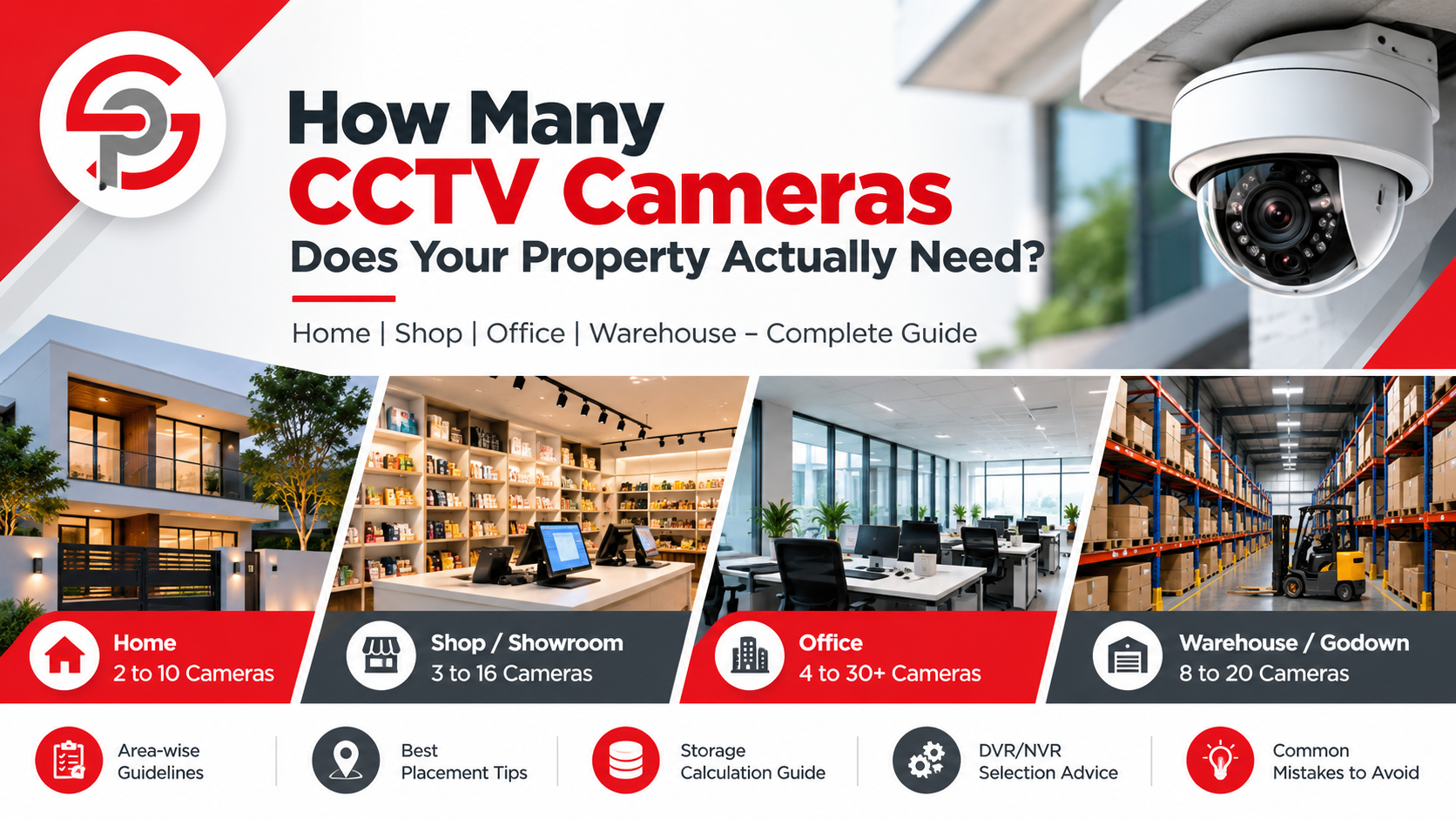
- 1 BHK or 2 BHK flat: 2 to 4 cameras
- 3 BHK flat: 4 to 6 cameras
- Independent house or villa: 6 to 10 cameras
- Small shop: 3 to 5 cameras
- Showroom or large store: 8 to 16 cameras
- Small office: 4 to 8 cameras
- Medium or large office: 10 to 30 or more cameras
- Warehouse or godown: 8 to 20 cameras, depending on size
These are starting points, not fixed rules. A small property with a busy entrance may need more cameras than a larger property with one quiet door. The rest of this guide shows how to work out your own number.
Why the Right Number of Cameras Matters
Many buyers make one of two mistakes. They buy too few cameras and leave blind spots. Or they buy too many and waste money on cameras that watch empty walls.
Too few cameras means a thief can walk through an unwatched corner. When something goes wrong, you may find that the one place it happened was the one place nobody was recording.
Too many cameras costs more in equipment, cables, power and storage. A bigger system is also harder to check and maintain.
The goal is full coverage of what matters, with no waste. A good plan covers entry points, high-value areas and key walking paths. It uses the fewest cameras needed to do that well.
The Four Things That Decide Your Camera Count
1. Size and layout of the property
A long corridor can be watched by one camera. A building with many small rooms and turns needs more. Count the number of separate areas rather than only the square feet.
2. Number of entry and exit points
Every main door, back door, gate, shutter and parking entrance should be covered. Most break-ins start at an entry point, so this is the first thing to plan.
3. What you want to protect
A cash counter, a server room, a stock shelf with expensive items or a safe all need their own camera. Valuable areas deserve a close, clear view and not just a distant one.
4. Your budget and future plans
If you may expand your shop or add a floor later, choose a recorder with a few spare channels. This lets you add cameras later without replacing the main unit.
Camera Count for Homes and Apartments
Homes need privacy as well as safety, so the aim is to watch the outside and the entrances, not every room.
1 BHK or 2 BHK flat (2 to 4 cameras)
- One at the main door or in the corridor outside it
- One in the living room or main passage
- One at the balcony or rear door, if there is one
- A video door phone can replace the door camera for visitor checks
3 BHK flat or large apartment (4 to 6 cameras)
- The same as above, plus one for the lobby or hallway
- One more covering a second balcony or service entrance
Independent house or villa (6 to 10 cameras)
- Front gate and boundary wall
- Driveway or parking area
- Main entrance door
- Back door and side lanes
- Terrace access
- Garden or open lawn
Avoid placing cameras inside bedrooms or bathrooms. Respect the privacy of family members, guests and domestic staff.
For flats where drilling cables is hard, a Wi-Fi or 4G camera is a flexible option. It connects wirelessly and sends video to your phone. You can see the range in the Wi-Fi and 4G camera collection on our site.
Camera Count for Shops and Showrooms
A shop is different from a home. Customers walk in all day, and money and goods change hands constantly.
Small shop (3 to 5 cameras)
- One at the entrance, facing inward to capture faces
- One at the cash counter, covering the till and the person paying
- One over the main product area
- One at the back or storage area
- One outside, covering the shutter and footpath, if needed
Large store or showroom (8 to 16 cameras)
- Add one camera for each aisle or display zone
- Cover the billing area with two angles
- Cover the stockroom door
- Cover the parking or loading area
A useful tip is to place at least one camera where you can clearly see a customer’s face as they enter. Faces are hard to capture from the side or from a very high angle.
If you want a deeper look at how cameras protect a business, our guide to the 10 benefits of CCTV cameras for business security covers theft control, staff safety and remote viewing.
Camera Count for Offices
Offices often want security without making staff feel watched. The best approach is to cover shared and sensitive areas, not individual desks.
Small office (4 to 8 cameras)
- Main entrance and reception
- Corridor or common passage
- Server or storage room door
- Pantry or exit door
- Parking area
Medium or large office (10 to 30 or more cameras)
- Each floor entrance and staircase
- Lift lobbies
- Server room, cash room or record room
- Meeting room corridors
- Basement and parking
- Rooftop and emergency exits
Inform your staff that cameras are installed and explain where. This builds trust and also discourages misuse.
Camera Count for Warehouses, Godowns and Factories
Large open spaces need cameras that cover wide areas and long distances.
Typical count: 8 to 20 cameras
- Gate and weighing area
- Loading and unloading bays
- Main storage aisles
- Office and cash room inside the premises
- Perimeter wall and corners
- Night-time roads or yards around the building
For big open areas, use bullet cameras with good night vision and a longer range. For entrances and aisles, dome or turret cameras work well. Outdoor cameras should have weather protection, usually shown as an IP66 or IP67 rating.
Where to Place Each Camera
Even the right number of cameras fails if they are placed badly. Keep these simple rules in mind.
- Mount at the right height. About 8 to 10 feet from the floor is common. Too low and the camera can be reached or covered. Too high and faces look small and angled.
- Face the entrance, not the sun. Strong sunlight or bright lights behind the subject make faces dark. Avoid pointing cameras straight at windows or glass doors.
- Cover blind spots. Walk through the property and look for corners, pillars and shelves that block the view.
- Overlap slightly. Let neighbouring cameras share a small part of the view so nobody can slip between them unseen.
- Protect outdoor cameras. Use weatherproof housings and keep cables inside conduits where possible.
- Think about lighting. If an area is dark at night, pick cameras with strong night vision or add a light.
Matching Cameras with the Right DVR or NVR
Your recorder must support at least as many cameras as you plan to install, and ideally a few more.
- DVR (Digital Video Recorder) works with analogue HD cameras connected by coaxial cable.
- NVR (Network Video Recorder) works with IP cameras connected over a network cable.
Recorders come in common sizes such as 4, 8, 16 and 32 channels. If you need 6 cameras, buy an 8-channel recorder. If you need 12, buy a 16-channel one. This leaves room to grow.
Buying from a reliable DVR NVR dealer in Delhi helps you match the right recorder to your camera count, resolution and hard drive size. Compatibility between brands also matters, so check it before you buy.
Storage: How Big Should Your Hard Drive Be?
Storage decides how many days of video you can keep. Many people forget this until they need old footage and find it gone.
A rough guide for continuous recording with modern compression (H.265):
| Camera quality | Approx. storage per camera per day |
|---|---|
| 2 MP (1080p) | 15 to 25 GB |
| 4 MP | 30 to 45 GB |
| 5 MP to 8 MP (4K) | 50 to 90 GB |
These numbers change with the brand, bitrate, scene activity and recording mode, so treat them as estimates.
Simple formula: Storage needed = storage per camera per day × number of cameras × days to keep.
Example: 8 cameras of 2 MP quality, kept for 30 days: 20 GB × 8 × 30 = about 4,800 GB, so you would choose a 6 TB or larger drive, or two drives.
Always use a drive made for surveillance. Normal desktop drives are not built for non-stop writing and can fail early. You can read a full comparison in our guide on WD Purple vs Seagate SkyHawk, and browse options in the surveillance hard drive range.
Power, Cables and Network Basics
The best camera count on paper can still fail if power and cables are not planned.
- Analogue HD cameras need a video cable and a power supply. A central SMPS (power supply unit) can power many cameras together.
- IP cameras can use PoE (Power over Ethernet). One network cable carries both power and data, which keeps the setup neat.
- Cable length matters. Network cables work well up to about 100 metres. For longer runs, use a switch or extender.
- Backup power such as a small UPS keeps your recorder running during short power cuts.
Our range of SMPS and PoE switches covers the power side of both setups.
Common Mistakes to Avoid
- Counting rooms instead of risks. Cover entry points and valuables first.
- Skipping the entrance face camera. A wide shot of a door rarely identifies a person.
- Choosing the cheapest everything. A low-quality camera with poor night vision gives blurry video when you need it most.
- Forgetting storage. Having cameras without enough storage means short recording history.
- Buying a recorder with no spare channels. You will need to replace it when you add one more camera.
- Pointing cameras at bright light. Glare ruins the image.
- Never checking the system. Test playback once a month to make sure all cameras are recording.
- Ignoring warranty and support. A genuine product with a proper invoice and service backup saves trouble later.
Why Buy from a Nehru Place Supplier
Nehru Place is one of Delhi’s best-known markets for electronics and IT products. Buyers go there because of the choice, the competition on pricing and the chance to compare products in person. If you are looking for CCTV in Nehru Place, you will find everything from basic home kits to large business setups.
When you choose a seller, check these points:
- Genuine products from known brands such as Hikvision, CP Plus, Dahua and others
- A clear quotation with model names and warranty details
- Help with deciding the correct camera count and recorder size
- Honest advice, even if it means selling you fewer cameras
- Support after the sale for repairs, replacement and questions
A trusted CCTV dealer in Delhi will ask about your property before suggesting a package. If a seller names a number without asking anything, be careful.
If you run a security business, you may need bulk supply. In that case, look for a CCTV camera wholesale dealer in Delhi who offers steady stock and clear order steps. Resellers and installers often prefer a single CCTV distributor in Delhi who can supply cameras, recorders, drives and accessories together.
For a single home or shop, a CCTV camera dealer in Delhi with a wide online catalogue lets you view products and request a quote at your own pace. Many people also want to know the best CCTV in Nehru Place, and the answer is usually the dealer who combines genuine stock, fair prices, setup help and after-sales support. For larger projects, a dependable CCTV camera supplier in Delhi can plan the whole order with you and deliver it on time.
A Simple 5-Step Plan to Decide Your Number
Step 1: Walk the property. Note every door, gate, shutter, window and passage that someone could use to enter.
Step 2: Mark your valuables. Circle the cash counter, safe, server, stock area and parking.
Step 3: Draw a rough map. Sketch the layout on paper and place one camera at each marked point.
Step 4: Remove overlaps and add blind spots. Merge cameras that watch the same area. Add one where you see a gap.
Step 5: Add a buffer. Choose a recorder with two to four spare channels, and plan storage for the number of days you want to keep.
By the end, you will have a number based on real needs and not guesswork.
Frequently Asked Questions
How many CCTV cameras do I need for a 2 BHK flat?
Most 2 BHK flats do well with 2 to 4 cameras. Cover the main door, the living area and any balcony or rear entrance. A video door phone can handle visitor checks at the front.
How many CCTV cameras does a small shop need?
A small shop usually needs 3 to 5 cameras. Place one at the entrance, one at the cash counter, one over the main display, and one at the back or stock area. Add an outdoor camera if the shutter or footpath needs watching.
How many cameras should an office have?
A small office needs 4 to 8 cameras, while larger offices need 10 to 30 or more. Focus on entrances, reception, corridors, server rooms and parking rather than individual desks.
Is 4 cameras enough for a house?
Four cameras can be enough for a small house or flat if they cover the front door, back door, main passage and one outdoor area. Larger houses with gardens, boundary walls and several entrances usually need 6 to 10.
Should I buy a 4-channel or 8-channel recorder?
Choose a recorder with more channels than your current camera count. If you need 4 cameras now but may add more, an 8-channel unit is a wiser choice. It costs a little more but saves a full replacement later.
What is the difference between DVR and NVR?
A DVR records video from analogue HD cameras using coaxial cables. An NVR records from IP cameras over a network. IP systems usually offer higher resolution and flexible wiring, while analogue systems are often simpler and lower cost.
How much storage do I need for CCTV?
It depends on the camera quality, number of cameras and days of recording. As a rough example, 8 cameras of 2 MP quality kept for 30 days need about 4 to 5 TB. Use the formula: storage per camera per day × cameras × days.
Can I install CCTV myself?
Simple Wi-Fi cameras are easy for most people to set up. Wired systems with DVRs, NVRs, PoE switches and long cable runs are better handled by trained installers, because bad wiring and poor placement are common causes of weak footage.
Do more cameras mean better security?
Not always. Well-placed cameras with good image quality, enough storage and regular checks matter more than a large number. Cover the most important areas first and expand if needed.
Where can I buy CCTV cameras in Nehru Place, Delhi?
You can buy from trusted dealers and suppliers in the Nehru Place market, or order through an online catalogue and request a quotation. Check for genuine brands, warranty, clear pricing and after-sales support before you decide.
Can I add more cameras later?
Yes, as long as your recorder has free channels, enough storage and enough power capacity. This is why it helps to buy a recorder with spare channels at the start.
Conclusion
The right number of CCTV cameras depends on your property, not on a fixed rule. A flat may need only 2 to 4 cameras, a shop 3 to 5, an office 4 to 30 or more, and a warehouse 8 to 20. What matters most is covering every entry point, every high-value area and the paths people walk through, with clear image quality and enough storage to keep the footage.
Start by walking your property and noting the risks. Choose a recorder with a few spare channels, pick a surveillance-grade hard drive, plan the power and cabling properly, and buy genuine products with warranty. Then test your recordings regularly so you know the system works when you need it.
If you are still unsure, speak to a trusted seller who asks questions about your space before giving a quote. A short conversation at the start can save you from blind spots, wasted spending and weak footage later.