Quick Answer: If you want the best CCTV in Nehru Place, choose a dealer who sells genuine brands (Hikvision, Dahua, Prama, CP-Plus, ESSL, Hi-Focus), gives a real warranty, offers free site visits, and supports you after installation. Padamshree Infotech is a trusted CCTV camera dealer in Delhi based in Nehru Place, offering CCTV cameras, DVR/NVR, biometric machines, and full installation support for homes, shops, and offices.
Security is not something you should take a chance on. Whether you run a shop, an office, a warehouse, or simply want to protect your home, the right camera system makes a real difference — both in stopping trouble before it happens and in giving you proof if something does go wrong. But with so many shops claiming to be the “best,” how do you actually pick the right cctv dealer in delhi? This guide breaks it down in simple words, step by step, so you can make a confident and informed choice.
Why Nehru Place Is the Hub for CCTV Shopping in Delhi
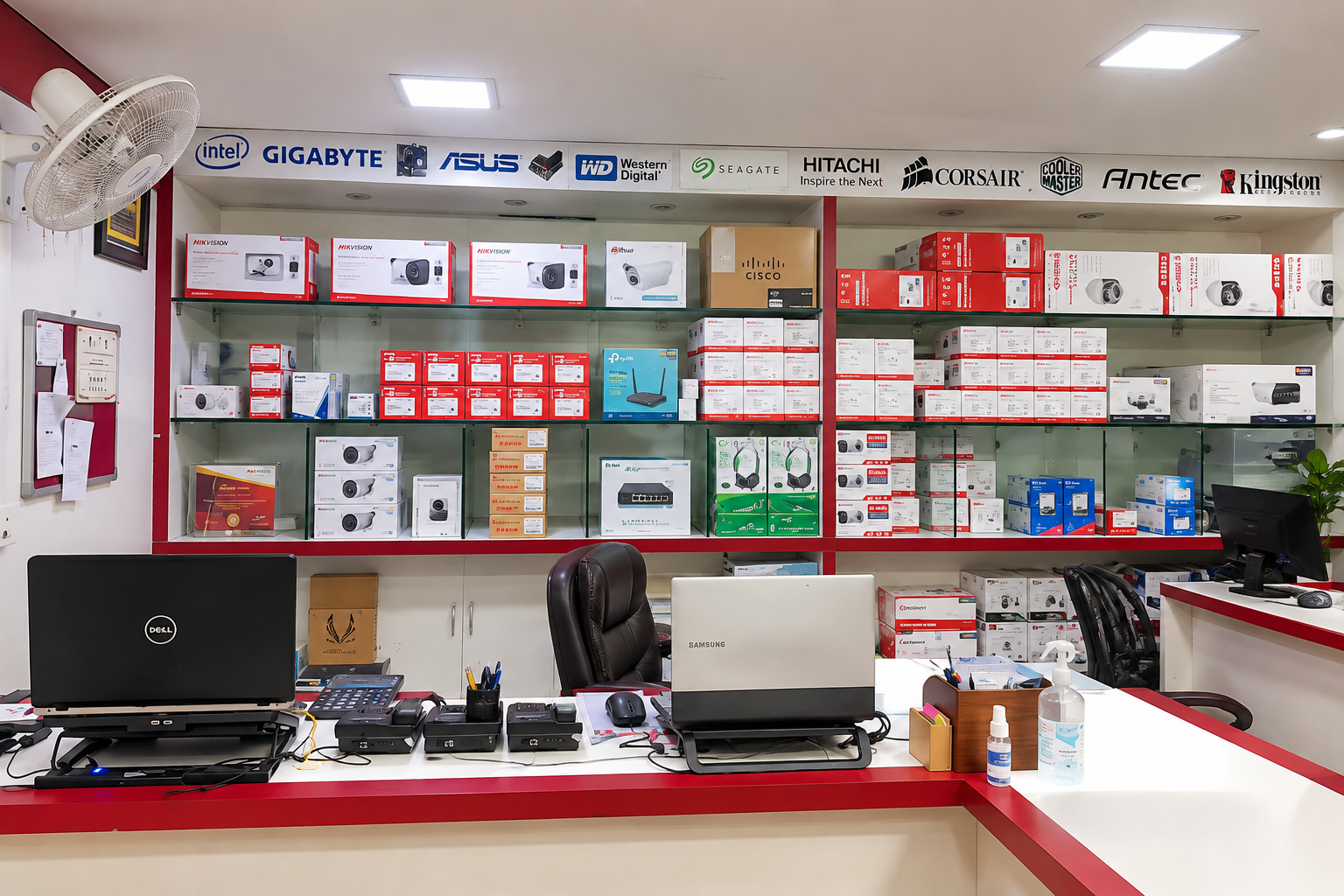
Nehru Place has been Delhi’s go-to market for computers, IT products, and security equipment for many years. If you search for the best cctv in nehru place, you will find dozens of shops packed into a small area. This market is popular for a few clear reasons:
- Buyers get many brands under one roof, so comparing is easy.
- Prices are competitive because of high market volume and direct dealer relationships.
- Technicians and installers are easy to find nearby, which speeds up setup.
- Spare parts, wires, connectors, and accessories are always in stock, so repairs don’t take days.
- Most shops understand both home and commercial requirements, from a single shop camera to a full factory setup.
Because there are so many options, it is important to know what actually separates a genuine cctv camera dealer in delhi from a shop that just sells cheap, unbranded boxes with no real support behind them.
What Makes a Good CCTV Camera Dealer in Delhi?
Before you buy, check these points. A reliable dealer will always tick every box below — if a shop can’t answer these clearly, that’s a warning sign.
1. Genuine, Branded Products Only
A trustworthy CCTV camera supplier in delhi sells original products from known brands like Hikvision, Dahua, Prama, CP-Plus, ESSL, and Hi-Focus — not duplicate, grey-market, or refurbished units sold as new. Fake or cloned cameras often fail within months and have no real customer support behind them.
2. Proper Warranty and Bill
Always ask for a GST bill and a warranty card. Without a proper bill, you cannot claim warranty if the camera or DVR stops working, and you also lose any chance of getting a replacement.
3. Free Site Visit and Requirement Analysis
Every location is different — a two-storey home, a single shop, and a five-floor office all need different planning. A good dealer either visits your site or asks detailed questions before suggesting the number of cameras, camera type, and cable length required. This avoids under-buying or over-buying equipment.
4. Installation and After-Sales Support
Buying a camera is only half the job. You also need proper installation, correct camera angles, DVR/NVR setup, mobile app connection, and ongoing support if something goes wrong later. A dealer who disappears after the sale is a dealer to avoid.
5. Fair, Transparent Pricing
A good security camera dealer in delhi gives you a clear, itemised quotation with no hidden charges for wires, connectors, mounting brackets, or labour. Surprise costs after installation are a common complaint with less reliable vendors.
6. Stock Availability and Quick Replacement
Technology and cameras sometimes need parts replaced — a damaged connector, a faulty hard drive, or a camera affected by weather. A dealer with strong local stock (like those based in Nehru Place) can replace parts quickly instead of making you wait weeks.
Types of CCTV Cameras You Can Buy
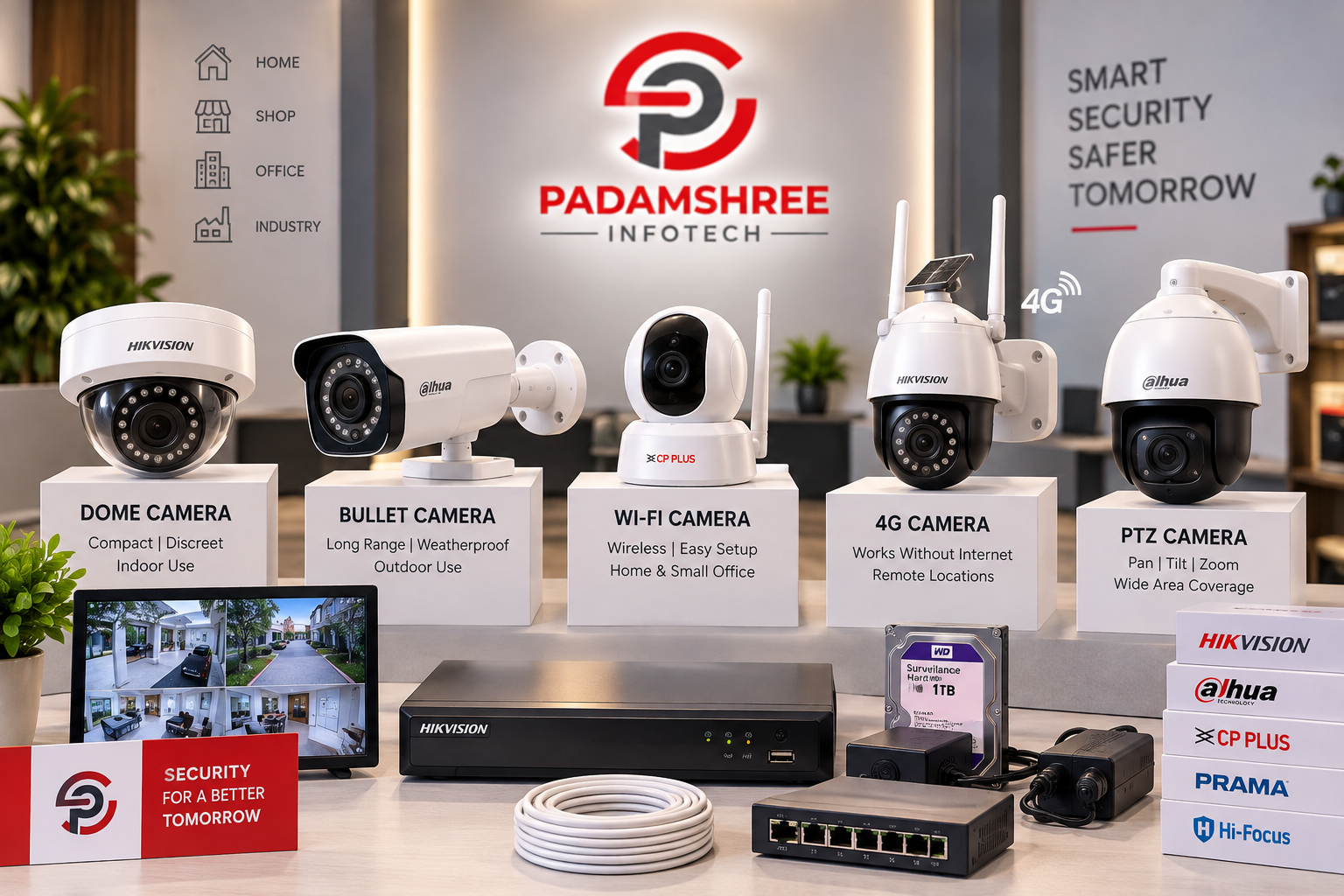
Not every camera works the same way, and picking the wrong type for your space is one of the most common buying mistakes. Here is a simple breakdown to help you choose correctly.
Dome Camera vs Bullet Camera
Dome cameras are round and usually ceiling-mounted, ideal for indoor areas like shops, offices, and reception areas because they blend into the ceiling and are harder to tamper with. Bullet cameras are long and cylindrical, better suited for outdoor use because they can cover longer distances and are built to handle rain, dust, and sunlight. If you are still confused about which one fits your space, read our detailed guide on Dome vs Bullet CCTV Camera.
CCTV Camera vs IP Camera
Traditional CCTV (analog) cameras connect through coaxial cables and work with a DVR, and they are usually more budget-friendly for smaller setups. IP cameras use network (LAN) cables, connect to an NVR, and generally give sharper video quality along with smarter features like motion zones and remote access. For a full comparison, check our article on CCTV Camera vs IP Camera.
Wi-Fi and 4G Cameras
For homes, small shops, or remote sites without proper wiring, Wi-Fi and 4G cameras are a simple and fast option. They connect directly to your phone using a mobile SIM or Wi-Fi network, so there is no long cable run needed, and setup can often be done in under an hour.
PTZ (Pan-Tilt-Zoom) Cameras
For larger areas like warehouses, parking lots, or factory floors, PTZ cameras let you remotely move the camera left, right, up, and down, and zoom in on a specific area. These are more expensive but reduce the number of fixed cameras you need to cover a wide space.
Quick Comparison Table
| Camera Type | Best For | Cable Needed | Typical Cost Level |
|---|---|---|---|
| Dome (Analog/HD) | Indoor shops, offices, homes | Coaxial | Low |
| Bullet (Analog/HD) | Outdoor gates, parking, boundaries | Coaxial | Low to Medium |
| IP Dome/Bullet | Offices, showrooms needing sharp footage | LAN (Ethernet) | Medium to High |
| Wi-Fi Camera | Homes, small shops with no wiring | None (wireless) | Low to Medium |
| 4G Camera | Remote sites, farms, under-construction sites | None (SIM-based) | Medium |
| PTZ Camera | Warehouses, large open areas | Coaxial or LAN | High |
Popular CCTV Brands Available in Delhi
Every brand has its own strengths, and the right choice usually comes down to your budget, how many years of reliable use you expect, and what features matter most to you.
- Hikvision – The world’s largest CCTV manufacturer, known for reliable HD and IP cameras, strong night vision, and a wide range of DVR & NVR options to match any budget.
- Dahua – Known for advanced IP camera technology, AI-based features like people counting and line-crossing alerts, and strong performance in low light.
- Prama – Offers dependable IP camera systems for medium and large businesses that need scalable, professional-grade setups.
- CP-Plus – A trusted Indian brand offering good quality HD & IP cameras at affordable prices, popular for homes and small businesses across Delhi.
- ESSL – Widely used for biometric attendance machines, a good fit for offices that want to pair CCTV with reliable staff attendance tracking.
- Hi-Focus – A budget-friendly CCTV brand offering basic, reliable coverage for small shops and homes that don’t need advanced features.
Choosing between brands mainly depends on your budget, the size of your property, how many cameras you need, and how many days of recording you want to store.
What Equipment Do You Need Besides the Camera?
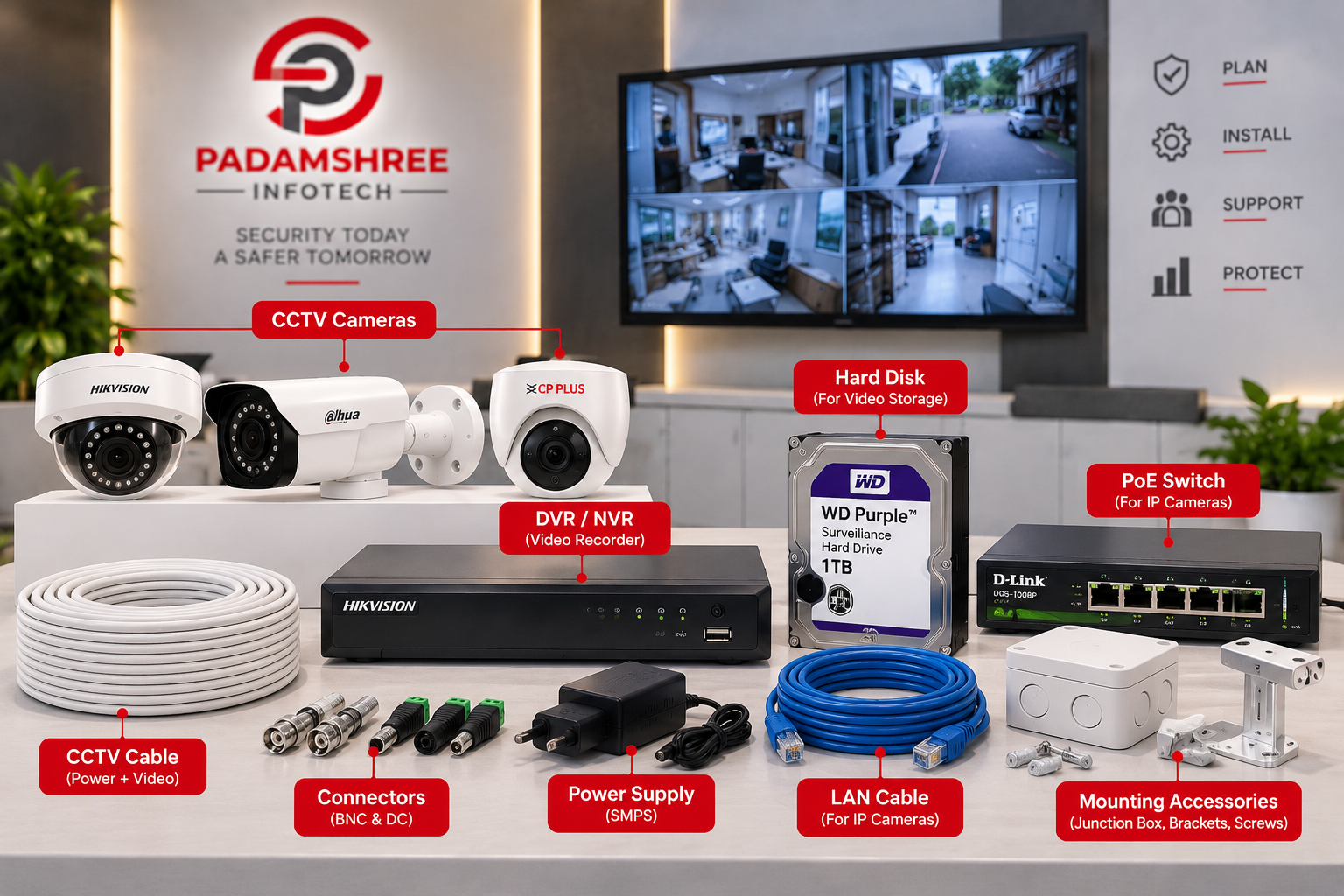
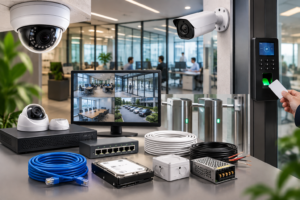
Many first-time buyers forget that a CCTV camera alone does not work as a complete system. A full setup usually needs the following:
- DVR or NVR – To record and store footage from all your cameras in one place. Browse our DVR & NVR range for options that match your camera count and resolution needs.
- Hard Drive – To store days or weeks of recorded video without losing older footage too early. Larger drives mean longer storage.
- SMPS or POE Switch – To supply power to the cameras, especially important for multi-camera setups. See our SMPS & POE Switch collection.
- Cables and Connectors – Coaxial cable for analog cameras, or LAN cable for IP cameras, along with BNC connectors and power cables.
- Monitor or Mobile App – To view live footage on-site through a dedicated monitor, or remotely through a mobile app on your phone.
- 4G/5G or Wi-Fi Router – Needed if you want to view your cameras remotely and your location does not already have a stable internet connection. Check our 4G/5G & Wi-Fi Router options.
A good cctv camera dealer in delhi will explain all of this clearly before you place an order, so there are no surprises about extra parts once installation begins.
Beyond CCTV: Complete Security Solutions
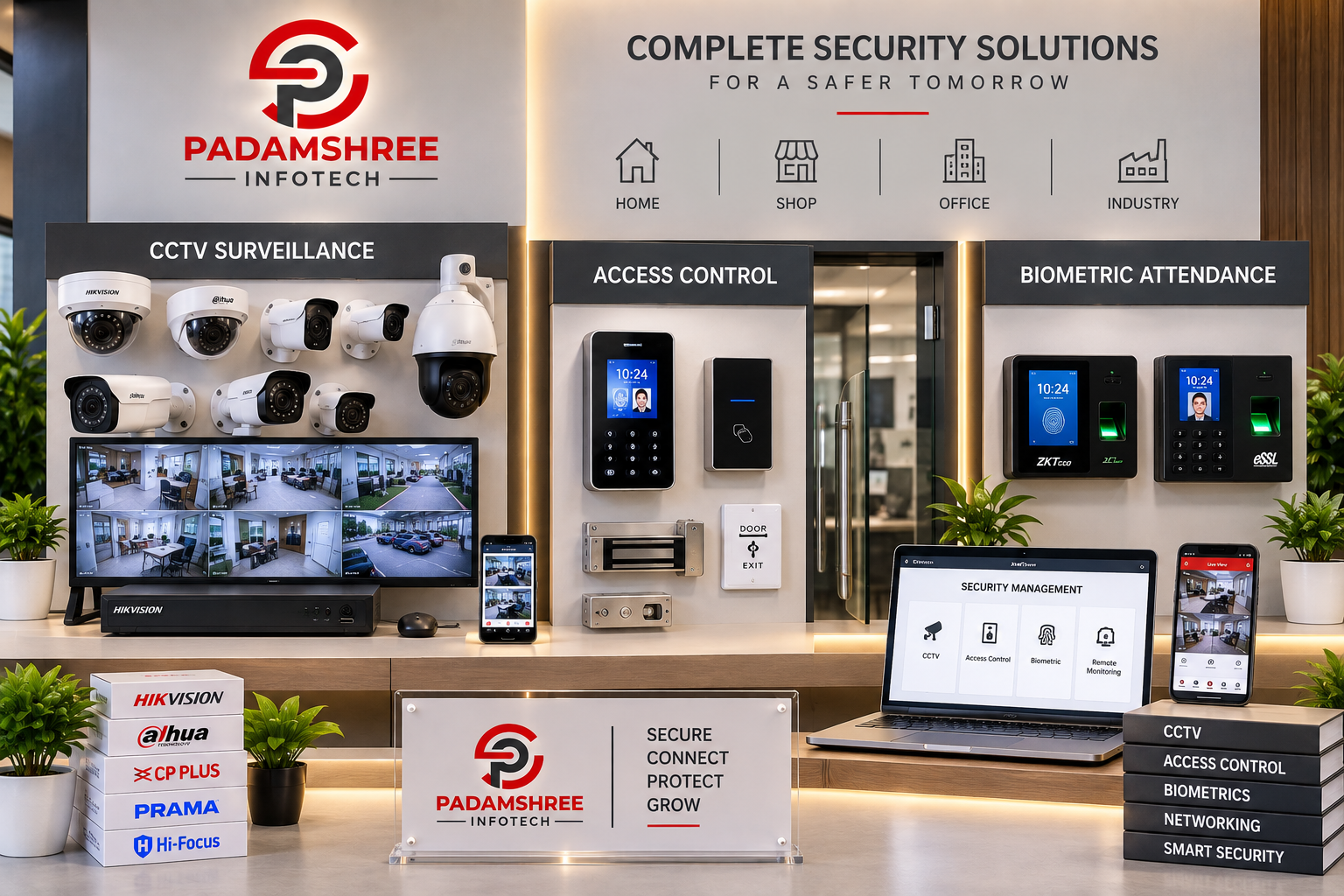
Modern homes and offices often need more than just cameras. Many businesses now combine CCTV with biometric attendance systems and access control for complete, layered protection. If you want to understand how these three systems work together, read our guide: CCTV + Biometric + Access Control: Complete Office Security Solution.
You can also explore:
- Biometric Machines for staff attendance and access control, ideal for offices that want to track working hours accurately.
- Video Door Phones for homes and offices that want to see and speak with visitors before opening the door.
- Other Accessories such as mounting brackets, junction boxes, and cable clips that make installation neat and durable.
Step-by-Step: How the Buying and Installation Process Works
Understanding the process in advance helps you know what to expect and avoids confusion later.
Step 1: Share Your Requirement Tell the dealer about your property type (home, shop, office, factory), the number of entry points, and any specific areas of concern.
Step 2: Get a Site Visit or Requirement Analysis For larger properties, a technician may visit to check cable routes, distances, and lighting conditions. For smaller setups, a phone conversation is often enough.
Step 3: Receive a Quotation You should get a clear, itemised quotation covering cameras, DVR/NVR, hard drive, cables, and installation charges.
Step 4: Confirm the Order Once you’re happy with the pricing and product list, confirm your order and make the agreed payment arrangement.
Step 5: Installation and Setup A technician installs the cameras, connects the DVR/NVR, sets up the hard drive, and configures the mobile app so you can view footage remotely.
Step 6: Testing and Handover Before the technician leaves, all cameras should be tested for clear video, correct angle, and night vision. You should also be shown how to access recordings and use the mobile app.
Step 7: Warranty and Support Keep your bill and warranty card safe. A good dealer remains reachable for support calls even months after installation.
To see this process in more detail, visit our Order Process page.
How to Choose the Best CCTV Setup for Your Property
Use this simple checklist based on where you want to install cameras:
For Homes
- 2 to 4 cameras are usually enough (main gate, parking, and entrance).
- Wi-Fi cameras work well if wiring is difficult or you’re in a rented space.
- Choose cameras with night vision and mobile app access so you can check in while away.
For Shops and Showrooms
- Dome cameras indoors, bullet cameras outdoors, covering the till area, entrance, and stock room.
- A minimum of 7 to 15 days of recording storage is recommended for dispute resolution.
- Add a biometric machine if you have staff attendance needs.
For Offices and Factories
- IP cameras with higher resolution for clearer identification of faces and number plates.
- Access control at entry points along with CCTV for layered security.
- Larger hard drives (2TB and above) for long-term storage, especially if compliance requires it.
For Warehouses and Large Open Spaces
- A mix of fixed bullet cameras and PTZ cameras to cover wide areas with fewer total units.
- Weatherproof cameras rated for outdoor exposure.
- Strong lighting or infrared cameras for reliable night coverage.
If you are not sure how many cameras or which brand suits your space, you can always request a free quotation and our team will guide you based on your exact requirement.
Maintenance Tips to Get the Most Out of Your CCTV System
A CCTV system is a long-term investment, and a little regular care keeps it working reliably for years.
- Clean camera lenses every few months, especially outdoor cameras exposed to dust and rain.
- Check hard drive health periodically, since older drives can develop bad sectors that affect recording.
- Update DVR/NVR firmware when available, as updates often fix bugs and improve stability.
- Test night vision regularly, particularly before winter when nights get longer.
- Recheck camera angles after any renovation, furniture change, or new construction nearby that could block the view.
- Keep your warranty documents and dealer contact number saved, so support is quick if you ever need it.
Why Choose Padamshree Infotech as Your CCTV Dealer in Delhi
Padamshree Infotech is a Nehru Place-based security camera dealer in delhi trusted by homes, shops, and businesses across the city. Here is what makes us different:
- Genuine Products Only – Every camera, DVR, and NVR we sell is 100% original with full manufacturer warranty.
- Multiple Brands Under One Roof – Hikvision, Dahua, Prama, CP-Plus, ESSL, and Hi-Focus, so you can compare and choose freely without visiting multiple shops.
- Simple Ordering Process – Share your requirement on WhatsApp or call, get a quick quotation, and confirm your order. Full details are on our Order Process page.
- Fast Delivery – Orders are packed and dispatched quickly through courier, porter, or local delivery services.
- After-Sales Support – Warranty and service support even after your purchase is complete, so you’re never left stranded.
- Complete Product Range – Beyond CCTV, we also supply biometric machines, video door phones, hard drives, and networking equipment, so your entire security setup can come from one reliable source.
To know more about our journey and values, visit our About Us page, or browse our full range of products on the Shop page.
Common Mistakes to Avoid While Buying CCTV in Delhi
- Buying only on price – The cheapest camera is often the one with the shortest lifespan and the weakest night vision.
- Skipping the warranty card – Always keep your bill safe; it’s your only proof for a free repair or replacement.
- Ignoring storage needs – A camera without enough hard drive space will overwrite old footage too soon, which can be a problem if you need to check something from two weeks ago.
- No professional installation – Poor wiring or wrong camera angles reduce coverage and video quality, sometimes leaving blind spots exactly where you needed coverage most.
- Choosing a dealer with no physical shop or support number – Always verify you can contact the dealer directly if there is a problem later.
- Overlooking internet and power backup – IP cameras and remote viewing depend on stable internet, and a power cut can stop recording unless you have backup power for your DVR/NVR.
FAQs: Best CCTV Dealer in Nehru Place, Delhi
Q1. Who is the best CCTV dealer in Nehru Place, Delhi? Padamshree Infotech is a well-known CCTV dealer in Nehru Place, offering genuine Hikvision, Dahua, Prama, CP-Plus, ESSL, and Hi-Focus products with installation support and warranty.
Q2. What is the average cost of CCTV camera installation in Delhi? Cost depends on the number of cameras, brand, resolution, and cable length. A basic 4-camera home setup usually costs less than an 8 to 16 camera setup for shops or offices. It is best to share your requirement for an exact quotation.
Q3. Which CCTV brand is best for home use? Hikvision and CP-Plus are both popular for homes because they offer good night vision, mobile app support, and reliable after-sales service.
Q4. What is the difference between a CCTV dealer and a CCTV supplier? A dealer usually sells directly to end customers with installation support, while a supplier may sell in bulk to other shops or businesses. Many companies, including Padamshree Infotech, work as both a dealer and a supplier.
Q5. Do I need a DVR or an NVR for my CCTV system? If you are using analog HD cameras, you need a DVR. If you are using IP cameras, you need an NVR. Your dealer can guide you based on the camera type you choose.
Q6. Can I view my CCTV camera footage on my mobile phone? Yes. Most modern CCTV, IP, and Wi-Fi cameras come with a mobile app that lets you view live footage and recordings from anywhere with an internet connection.
Q7. How many days of CCTV recording storage do I need? For homes, 7 to 15 days is usually enough. For shops and offices, many owners prefer 15 to 30 days of storage, which depends on your hard drive size.
Q8. Does Padamshree Infotech provide installation services? Yes, along with genuine products, Padamshree Infotech guides customers on installation and connects them with support for setup and after-sales service.
Q9. What other security products does Padamshree Infotech offer besides CCTV? Along with CCTV cameras, we offer DVR/NVR, biometric machines, video door phones, SMPS/POE switches, and 4G/5G Wi-Fi routers for complete security setups.
Q10. How do I place an order with a CCTV dealer in Delhi? You can browse products, then send your requirement through WhatsApp, email, or phone call. The dealer verifies your order, shares pricing, and delivers once confirmed. See our full Order Process for details.
Q11. Is it better to buy an analog CCTV camera or an IP camera for a shop? It depends on your budget and needs. Analog cameras are cheaper and simple to maintain, while IP cameras give sharper video and better remote-viewing features. Our CCTV Camera vs IP Camera guide explains this in detail.
Q12. Do CCTV cameras work during a power cut? Standard CCTV systems stop recording during a power cut unless connected to a UPS or inverter backup. If uninterrupted recording is important to you, ask your dealer about backup power options.
Q13. Can I add more cameras to my existing CCTV system later? Yes, in most cases. If your existing DVR/NVR has spare channels, you can add more cameras later. If not, you may need to upgrade to a higher-channel DVR/NVR.
Conclusion
Choosing the best cctv in nehru place does not have to be confusing. Focus on genuine brands, proper warranty, honest pricing, and real after-sales support — not just the lowest price tag. Take the time to think about the type of camera, the storage you need, and whether your setup calls for extras like biometric attendance or a video door phone. Whether you need a simple home setup or a complete office security solution with biometric and access control, working with an experienced cctv dealer in delhi like Padamshree Infotech ensures your investment actually protects what matters most.
Ready to secure your home, shop, or office? Browse our CCTV camera range or get in touch with our team today for a free quotation.